

What is VN Mobile Video Editing App?
Video editing on mobile has become super easy, and VN Mobile Video Editing App is one of the best free tools available today. Whether you’re a beginner, content creator, or someone making reels for Instagram or YouTube Shorts, VN offers powerful features with a clean and simple interface. In this blog, I’ll guide you step by step on how to edit videos using the VN app on your mobile.
VN (also called VlogNow) is a free professional video editing app available for both Android and iOS. It allows you to cut, trim, add music, text, filters, transitions, and export videos without any watermark.
Why VN is popular:
- Free to use
- No watermark
- Easy for beginners
- Professional-level features
- Supports 4K export
How to Edit Videos on VN App – Step by Step Guide
Step 1: Download and Open the VN App
- Install VN – Video Editor from Play Store or App Store
- Open the app and tap on “+ New Project”
Step 2: Import Your Video Clips
- Select one or multiple videos from your gallery
- Tap Next to load them into the timeline
- Your clips will appear in sequence on the timeline
Step 3: Trim and Cut Clips
- Tap on any clip in the timeline
- Use Split to cut the video
- Drag edges to trim unwanted parts
This helps keep your video short, clean, and engaging.
Adding Effects, Text, and Music

Step 4: Add Text and Titles
- Tap Text → Add Title or Subtitle
- Choose font, color, size, and animation
- Perfect for captions, reels text, or YouTube intros
Step 5: Add Music or Sound Effects
- Tap Music → Choose from VN library or your own audio
- Adjust volume, fade-in, fade-out
- You can also add voiceovers easily
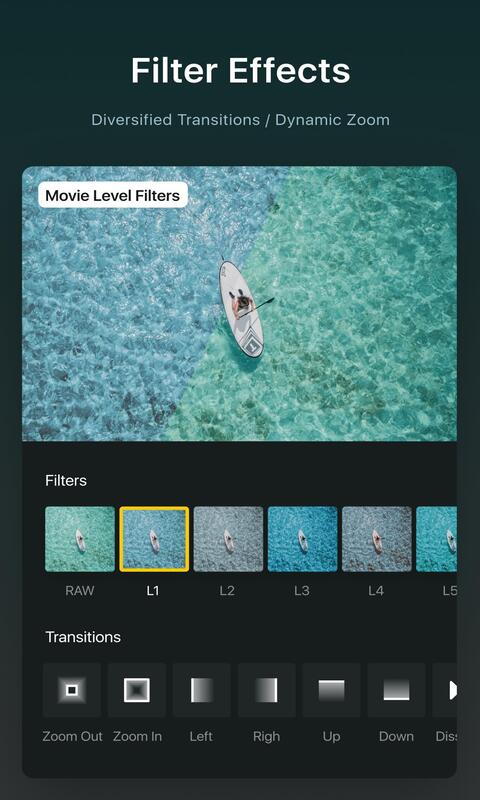
Step 6: Apply Filters and Transitions
- Use Filters to give cinematic or aesthetic looks
- Add Transitions between clips for smooth flow
- Don’t overuse—keep it natural
Advanced Editing Features in VN

Speed Control
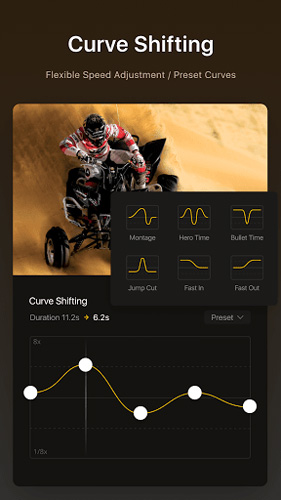
- Slow motion or fast-forward clips
- Great for reels and cinematic shots
Color Adjustment
- Adjust brightness, contrast, saturation, highlights
- Useful for professional color grading
Aspect Ratio
- Change ratio for:
- Instagram Reels (9:16)
- YouTube (16:9)
- Square posts (1:1)
Exporting Your Video
Step 7: Export and Save
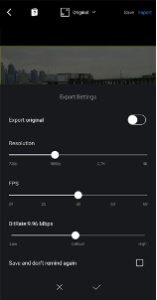
- Tap Export (top right corner)
- Choose resolution (1080p or 4K)
- Select frame rate (30fps or 60fps)
- Export without watermark 🎉
Tips for Better Editing on VN
- Keep videos short and engaging
- Use text animations wisely
- Match music beats with cuts
- Avoid too many filters
- Always preview before exporting
Conclusion
VN Mobile Video Editing App is a perfect choice for beginners and creators who want professional-quality videos using just their phone. With easy tools, clean UI, and no watermark, VN makes video editing simple, fast, and fun.
If you want to create reels, YouTube Shorts, vlogs, or promo videos, VN is definitely worth trying.